
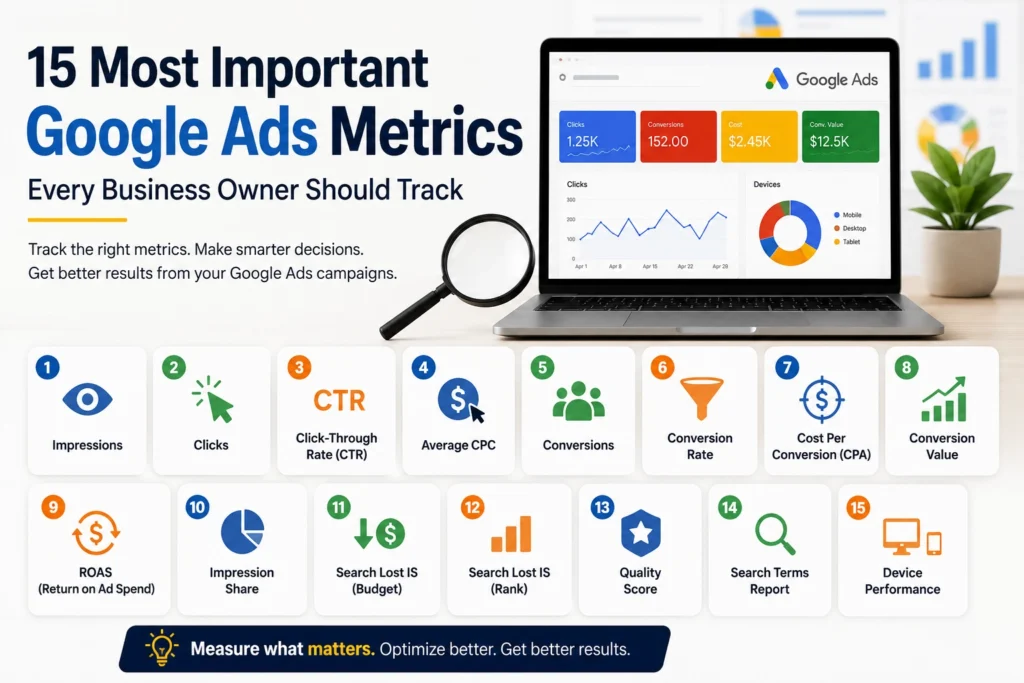
Running Google Ads without understanding your metrics is like driving a car without looking at the dashboard. While Google Ads provides hundreds of data points, not every metric is equally important.
For small businesses and marketers, focusing on the right metrics can help improve campaign performance, reduce wasted budget, and generate more leads.
In this guide, we’ll explore 15 essential Google Ads metrics that every business owner should understand.
1. Impressions
Impressions represent the number of times your ad appears in search results or across Google’s advertising network.
A high number of impressions indicates that your ads are being shown frequently, but impressions alone don’t guarantee results.
2. Clicks
Clicks show how many users interacted with your ad by clicking on it.
This metric helps you understand whether your ad is attracting attention from potential customers.
3. Click-Through Rate (CTR)
CTR measures the percentage of people who clicked your ad after seeing it.
A strong CTR often indicates that your ad copy and targeting are relevant to your audience.
4. Average Cost Per Click (CPC)
Average CPC tells you how much you’re paying for each click.
Monitoring CPC helps control advertising costs and improve campaign profitability.
5. Conversions
Conversions are the actions you want users to take, such as submitting a form, making a purchase, or calling your business.
This is one of the most important metrics in any Google Ads campaign.
6. Conversion Rate
Conversion Rate measures how many clicks turn into actual conversions.
A low conversion rate may indicate issues with your landing page, offer, or targeting.
7. Cost Per Acquisition (CPA)
CPA shows how much it costs to generate a conversion.
Businesses should always compare CPA against customer value to ensure profitability.
8. Conversion Value
Conversion Value measures the monetary value generated from conversions.
This helps businesses understand whether campaigns are generating revenue, not just leads.
9. Return on Ad Spend (ROAS)
ROAS measures how much revenue is generated for every dollar spent on advertising.
A strong ROAS indicates that your campaigns are producing profitable results.
10. Impression Share
Impression Share shows how often your ads appear compared to the total number of opportunities available.
A low Impression Share may suggest budget limitations or strong competition.
11. Search Lost Impression Share (Budget)
This metric shows how many opportunities you’re missing because your budget is too low.
Increasing budget can often improve visibility and traffic.
12. Search Lost Impression Share (Rank)
This metric reveals how often your ads fail to appear because of low Ad Rank.
Improving ad relevance and Quality Score can help reduce losses.
13. Quality Score
Quality Score is Google’s rating of your keywords, ads, and landing pages.
Higher Quality Scores can reduce costs and improve ad positions.
14. Search Terms Report
The Search Terms Report shows the actual phrases users type before clicking your ads.
Regularly reviewing search terms helps identify new opportunities and remove irrelevant traffic.
15. Device Performance
Users interact differently on mobile devices, tablets, and desktops.
Analyzing device performance helps optimize bids and improve campaign efficiency.
Common Mistakes When Analyzing Google Ads Metrics
- Focusing only on clicks
- Ignoring conversion tracking
- Looking at CTR without considering conversions
- Not monitoring CPA and ROAS
- Failing to review search terms regularly
Which Metrics Matter Most?
For lead generation campaigns, focus on:
- Conversions
- Conversion Rate
- Cost Per Acquisition (CPA)
- ROAS
- Quality Score
These metrics provide the clearest picture of campaign performance and business impact.
Final Thoughts on Google Ads Metrics
Google Ads offers a huge amount of data, but success comes from focusing on the metrics that directly affect business growth. By tracking the right KPIs and making data-driven decisions, businesses can improve campaign performance, reduce wasted spend, and generate better results.
If you’re looking to improve your Google Ads performance, understanding these 15 key metrics is an excellent place to start.